How to enable IPv6 Routing protocol in Cisco Router
Modern networks are gradually migrating from IPv4 to IPv6. Routers include and support many features to make this process hassle-free. Dual stacking and IPv4-to-IPv6 tunneling are among the most popular methods for migrating. This tutorial explains these methods in detail and demonstrates how to enable, test, and verify IPv6 routing using EIGRPv6 and OSPFv3.
Enabling IPv6 routing
The following commands enable IPv6 routing.
Router(config)#ipv6 unicast-routing
Router(config)#interface type [slot_#/]port_#
Router(config-if)#ipv6 address ipv6_address_prefix/prefix_length [eui-64]
The first command globally enables IPv6. You must execute this command in the first place to use or enable any IPv6-related feature or function. The second command enters interface configuration mode. The third command assigns the specified IPv6 address to the interface. It assigns the prefix, prefix length, and, if specified, uses the EUI-64 method to generate the interface ID. To manually configure the entire IPv6 address, you can omit the eui-64 parameter. To view or verify the IPv6 configuration, you can use the show ipv6 interface command in Privilege Exec mode.
Example
The following commands enable IPv6 routing, assign an IPv6 address to the GigabitEthernet 0/0/0 interface, and verify the interface configuration.
Router>enable
Router#configure terminal
Router(config)#ipv6 unicast-routing
Router(config)#interface gigabitEthernet 0/0/0
Router(config-if)#ipv6 address 2001:1cc1:dddd:2::/64 eui-64
Router(config-if)#exit
Router(config)#exit
Router#
Router#show ipv6 interface gigabitethernet 0/0/0
GigabitEthernet0/0/0 is administratively down, line protocol is down
IPv6 is tentative, link-local address is FE80::201:43FF:FEDD:8801 [TEN]
No Virtual link-local address(es):
Global unicast address(es):
2001:1CC1:DDDD:2:201:43FF:FEDD:8801, subnet is 2001:1CC1:DDDD:2::/64 [EUI/TEN]
Joined group address(es):
FF02::1
Router#

Dual Stacking
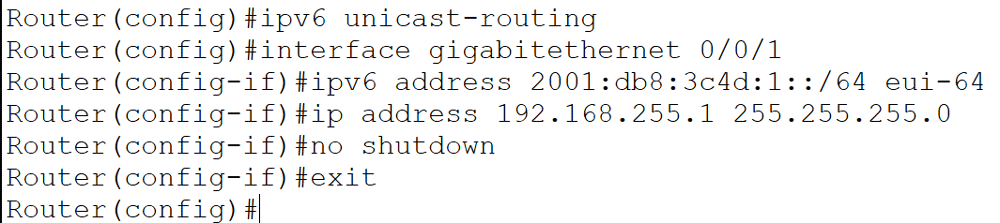
Dual stacking is the most prevalent migration strategy. It enables devices to communicate using both IPv4 and IPv6. It supports incremental upgrades of devices and applications throughout the network. As additional hosts are upgraded, a larger proportion of network traffic transitions to IPv6. When all devices support IPv6, you may decommission the legacy IPv4 protocol stacks. To configure dual-stacking, run the 'ipv6 unicast-routing' command in Global configuration mode and assign both IPv4 and IPv6 addresses to the interface or interfaces on which you want to enable it.
Example
The following commands enable dual stacking on the GigabitEthernet 0/0/1 interface.
Router(config)#ipv6 unicast-routing
Router(config)#interface gigabitethernet 0/0/1
Router(config-if)#ipv6 address 2001:db8:3c4d:1::/64 eui-64
Router(config-if)#ip address 192.168.255.1 255.255.255.0
Router(config-if)#no shutdown
Router(config-if)#exit
Router(config)#
IPv6-to-IPv4 Tunneling
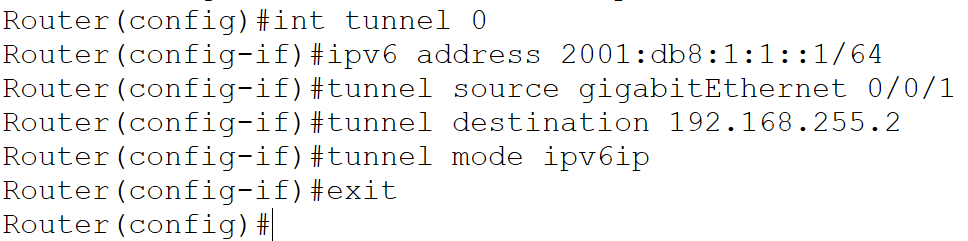
IPv6-to-IPv4 tunneling enables IPv6 traffic to traverse networks that continue to operate with IPv4. In scenarios involving isolated IPv6 subnets that require communication over an IPv4-only core or wide-area network, tunneling enables interconnection between these segments, even when the underlying network is not directly managed. You can address this limitation by creating a tunnel that encapsulates IPv6 traffic within IPv4 packets. It enables seamless transport across an IPv4-only network. Tunneling encapsulates IPv6 packets within IPv4 headers, enabling them to traverse IPv4 infrastructure. This process enables interoperability throughout the transition to IPv6.
Example
Router(config)#int tunnel 0
Router(config-if)#ipv6 address 2001:db8:1:1::1/64
Router(config-if)#tunnel source gigabitEthernet 0/0/1
Router(config-if)#tunnel destination 192.168.255.2
Router(config-if)#tunnel mode ipv6ip
Router(config-if)#exit
Router(config)#
Routing and IPv6
Similar to IPv4, routers use metrics and administrative distances to determine optimal paths and search the routing table for the longest-matching prefix to forward packets in IPv6. Almost all modern routing protocols support IPv6. The following section describes how the most popular and widely used routing protocols work in IPv6.
RIPng
Routing Information Protocol next generation (RIPng) closely resembles RIP for IPv4 and exhibits the following characteristics:
- It's a distance vector protocol.
- The hop-count limit is 15.
- Split horizon and poison reverse are used to prevent routing loops.
- It is based on RIPv2.
- Cisco routers running 12.2(2) T and later support RIPng.
The following are the enhancements in RIPng:
- An IPv6 packet carries the routing update.
- It uses the multicast address FF02::9 on UDP port 521 to send routing updates.
- Routing updates contain the IPv6 prefix of the router and the next-hop IPv6 address.
The process for enabling RIPng differs from that of RIP for IPv4. The following Global configuration mode command enables RIPng and enters its sub-configuration mode.
Router(config)#ipv6 router rip tag
The sub-configuration mode allows you to modify global RIPng parameters, such as split horizon, administrative distance, and timers. The tag serves as a locally significant identifier to distinguish between multiple RIP processes on the router. Unlike RIP for IPv4, there is no network command to include interfaces in RIPng. You must enable RIPng on each interface using the ipv6 rip tag enable command.
Router(config)#interface type [slot_#/]port_#
Router(config-if)#ipv6 rip tag enable
The tag parameter links the interface to the appropriate RIPng routing process. The 'show ipv6 rip database' command displays the RIPng protocol configuration.
Example
Router(config)#ipv6 router rip tag
Router(config-rtr)#exit
Router(config)#interface gigabitethernet 0/0/1
Router(config-if)#ipv6 rip tag enable
Router(config-if)#exit
Router(config)#exit
Router#show ipv6 rip database

EIGRPv6
Similar to RIPng, EIGRPv6 operates in a manner consistent with its IPv4 predecessor, retaining most features previously available in EIGRP. EIGRPv6 is still an advanced distance-vector protocol that has some link-state features. The neighbor discovery process using hellos still occurs, and it provides reliable communication with a reliable transport protocol that enables loop-free, fast convergence using the Diffusing Update Algorithm (DUAL). Hello packets and updates are transmitted using multicast. As with RIPng, the multicast address for EIGRPv6 remains similar to its IPv4 counterpart.
In IPv4, it is 224.0.0.10. In IPv6, it is FF02::A (A = 10 in hexadecimal notation).
However, there are notable differences between the two versions. You do not need to manually activate EIGRP. The router activates it as soon as you enable it in Global configuration mode. On the other hand, you need to manually activate EIGRP6 from its sub-configuration mode. In addition, EIGRP6 does not use the network command. You must enable the networks and interfaces you want EIGRP6 to advertise from their interface configuration mode.
Example
Router(config)#ipv6 router eigrp 12
Router(config-rtr)#no shutdown
Router(config-rtr)#exit
Router(config)#interface serial 0/1/0
Router(config-if)#ipv6 eigrp 12
Router(config-if)#no shutdown
Router(config-if)#exit
Router(config)#

OSPFv3
The latest version of OSPF maintains many similarities with its IPv4 counterpart. The fundamental structure remains unchanged; OSPF is still a link-state routing protocol that divides an internetwork or autonomous system into hierarchical areas. In OSPF version 2, the router ID (RID) is determined by the router's highest IP address or can be manually assigned. In version 3, the RID, area ID, and link-state ID are still 32-bit values, but they are no longer derived from the IP address, as IPv6 addresses are 128 bits. The revised assignment of these values, along with the removal of IP address information from OSPF packet headers, enables OSPFv3 to operate over a wide range of network-layer protocols.
Adjacencies and next-hop attributes now use link-local addresses, and OSPFv3 still uses multicast traffic to send its updates and acknowledgments, with the addresses FF02::5 for OSPF routers and FF02::6 for OSPF-designated routers. These new addresses replace 224.0.0.5 and 224.0.0.6, respectively. Other, less flexible IPv4 protocols do not provide the capability that OSPFv2 offers for assigning specific networks and interfaces to the OSPF process; however, this configuration remains under the router configuration process. With OSPFv3, interfaces and their associated networks are configured directly in interface configuration mode.
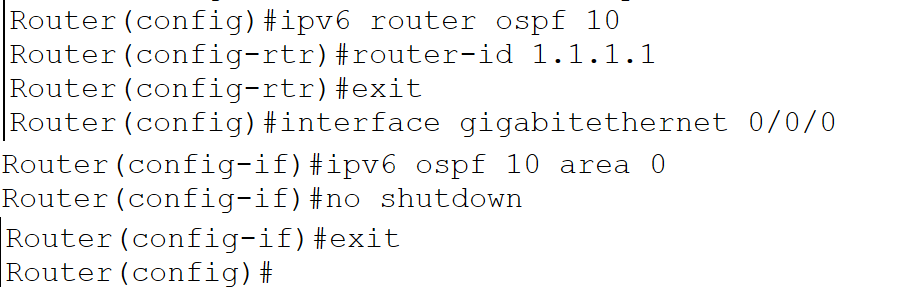
Router(config)#ipv6 router ospf 10
Router(config-rtr)#router-id 1.1.1.1
Router(config-rtr)#exit
Router(config)#interface gigabitethernet 0/0/0
Router(config-if)#ipv6 ospf 10 area 0
Router(config-if)#no shutdown
Router(config-if)#exit
Router(config)#
Conclusion
Migrating to IPv6 is essential for modern networks, enabling improved scalability, security, and efficiency. With dual stacking, tunneling, and support for advanced routing protocols like EIGRPv6 and OSPFv3, Cisco routers offer flexible solutions for a smooth transition from IPv4. By following the configuration steps outlined in this tutorial, network administrators can confidently deploy and manage IPv6 routing in real-world environments.
Author Laxmi Goswami Updated on 2025-12-29