Routers in Computer Networks Explained
A router is an essential hardware device in a computer network. It connects different IP subnets and technologies in computer networks. This tutorial explains the definition, roles, functions, and characteristics of routers.
Roles of a router
Computer networks exist in many forms and sizes. A small computer network can consist of only two computers. A large network may contain thousands or even millions of computers. The internet is the largest computer network. It connects billions of computers and smart gadgets. A large network requires and uses various media types and technologies. The devices that use different media types or technologies cannot communicate directly. To communicate, they need a device called a router. A router understands different media types and technologies and provides connectivity to them.
Let’s take an example. You speak English, and your client speaks African. You do not understand African. Similarly, your client does not speak English. In that case, you need a translator who speaks both African and English.

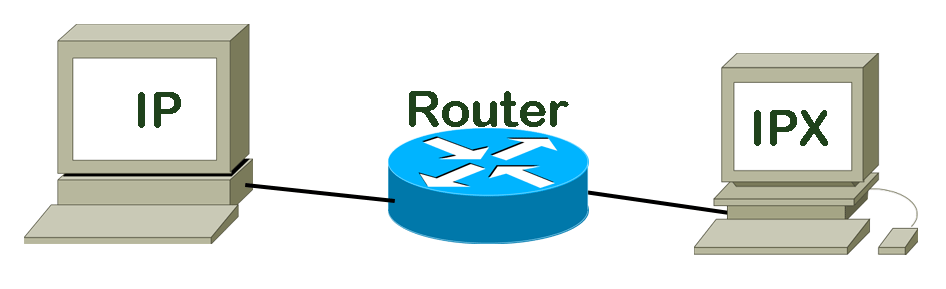
On a computer network, a router performs the same tasks. It connects computers that speak different languages. In the context of networking, a computer language is called a protocol. If two computers use different protocols, they need a router for communication. For example, if one computer uses IPX and another uses IP, they can communicate only through a router.
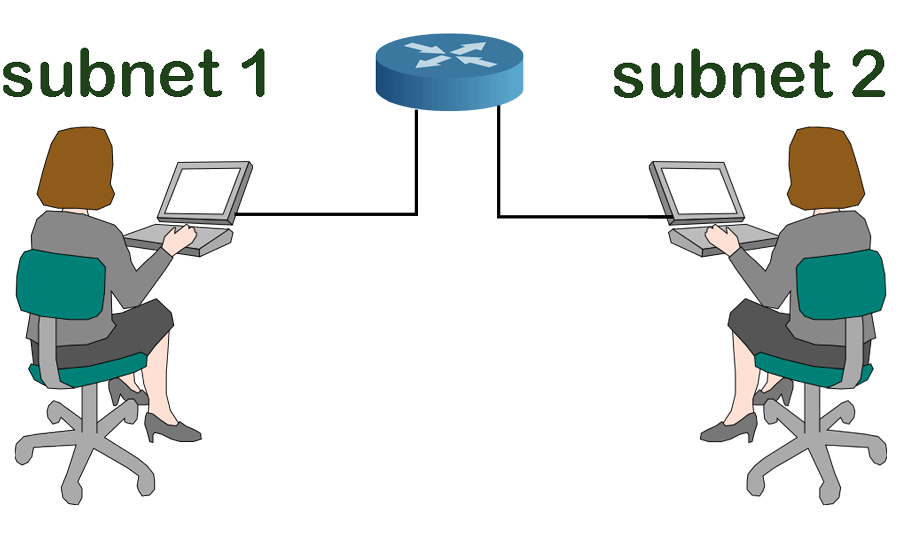
In modern times, almost all computers use the IP protocol. The IP protocol uses IP addresses for addressing. An IP address provides a unique identity to the device on the network. There are millions of IP addresses. For easier management, they are divided into subnets. Only IP addresses on the same subnet can communicate directly. IP addresses on different subnets need a router for communication. For example, there are two computers. Both use IP addresses from different IP subnets. They can communicate only through a router.
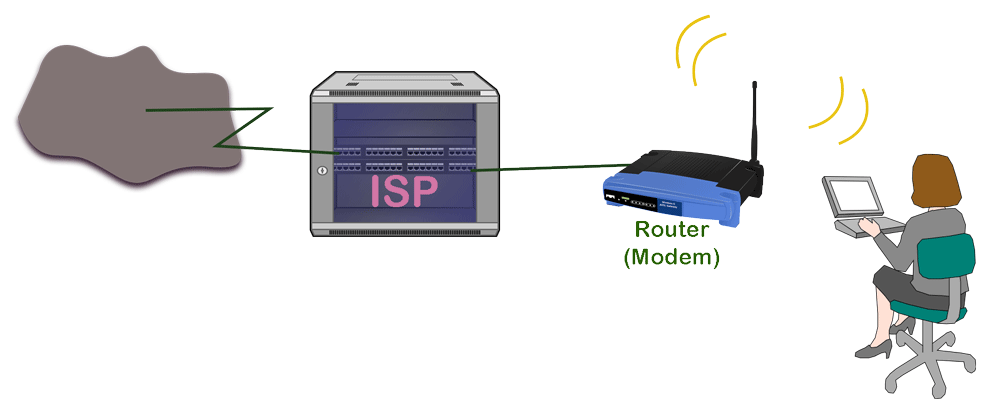
A computer may use different media types (such as Ethernet, fiber, serial, etc.) to connect devices. Different media types use different technology to carry data. Different media types cannot connect directly. To connect them, you need a router. For example, your home network uses Ethernet cables while your ISP uses fiber cables. To connect your home network to the Internet via an ISP, you use a router.
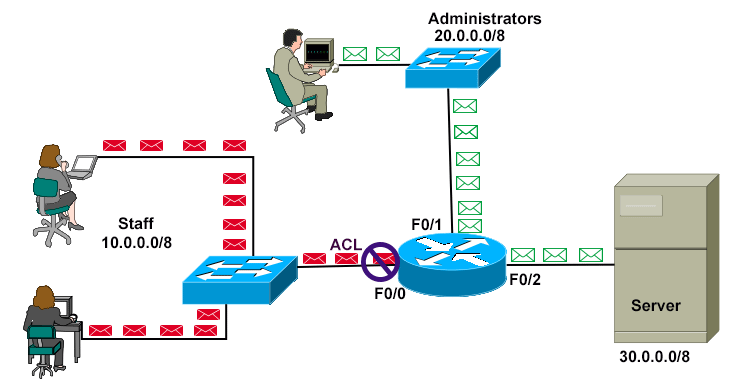
Since a router connects different subnets and technologies, you can use it as a traffic controller or a regulator. You can implement your security policy on it. You can define who can access what and at which level. The rules you define to filter traffic are called access lists. An ACL (Access Control List) is a set of rules that the router uses to filter traffic.
Features and functions of a router
The main features and functions of a router are the following.
Routing and forwarding
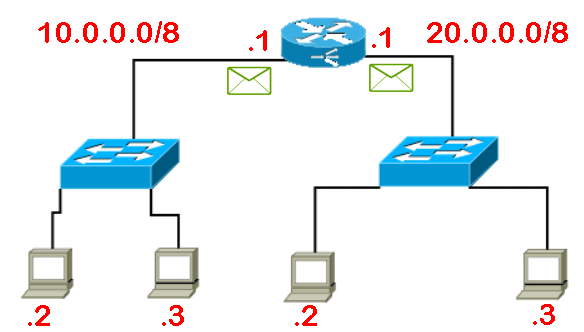
Routing and forwarding are the main functions of a router. It saves information about connected networks and technologies in tables called routing tables and uses them to make forwarding decisions. When it receives an incoming data packet on one of its interfaces, it finds an entry for the packet's destination address in the routing table and makes the forwarding decision based on the result. If it finds an entry, it forwards the packet from the interface mentioned in the entry. If not, it drops the packet.
NAT (Network Address Translation)
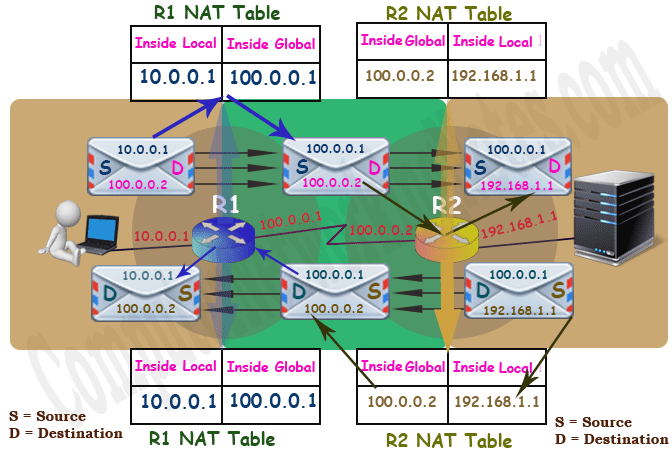
There are two types of IP addresses: private and public. The Internet uses public IP addresses. To connect to the Internet, you need a public IP address. Public IP addresses are expensive and require registration. If your setup does not require a permanent Internet connection, you can use public IP addresses temporarily. ISP uses this technique. They create a pool of public IP addresses and use it to provide internet connections. This method is also used to hide a company’s internal IP structure from external users. No matter what purpose it serves, it is provided by a router.
Securing a network
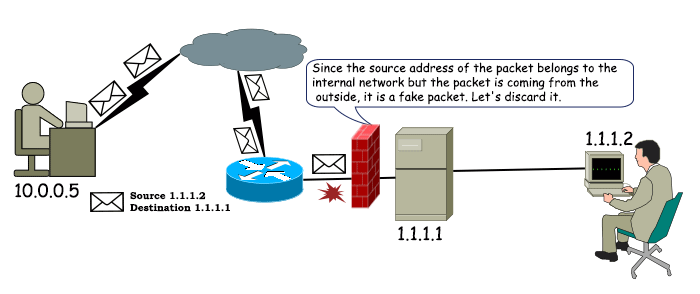
Routers help preserve network security by controlling access between different networks, filtering traffic, and blocking unauthorized users from accessing resources. They can also implement various firewall features to protect against possible threats or attacks.
Providing IP addressing
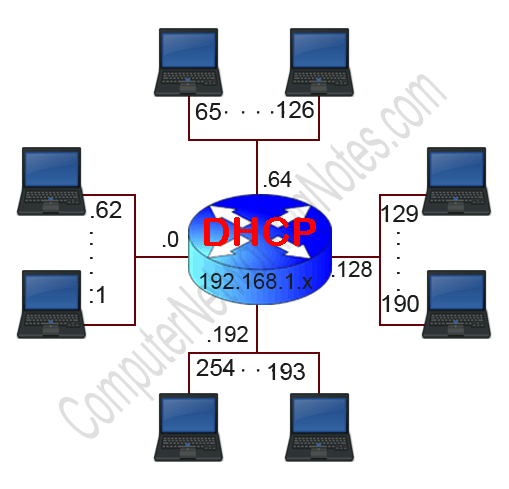
The DHCP service provides automatic IP addressing. You can configure and run this service on a router. If configured, it automatically assigns unique local IP addresses to every connected device (laptop, smartphone, smart TV) so they can identify and communicate with each other.
Types of routers
Based on the roles and functions, the essential types of routers are as follows.
Core routers
Core routers support numerous functions and provide the maximum bandwidth. They build the backbone of a network. They are the most expensive type of router. They are generally used by companies to connect their branches spanning different geographical locations. These routers usually have ports for serial and fiber connections.
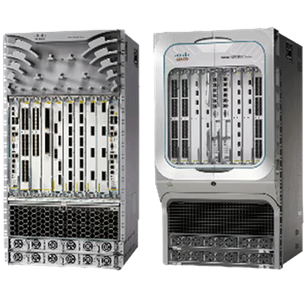
Edge routers
Edge routers connect to other routers to distribute data to end users. They are also called gateway routers. They function as the network’s outermost point. ISP uses Edge routers as modems. These routers generally have Ethernet ports for connecting distribution routers.
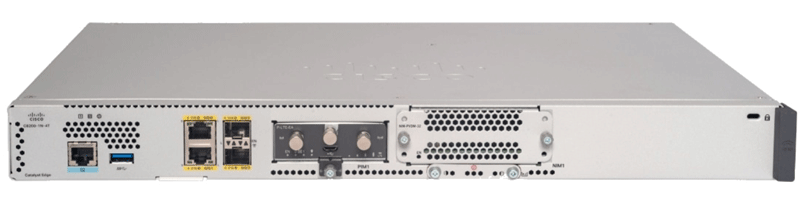
Distribution routers
Distribution routers connect with the edge routers. They receive data from them and distribute it in the local network. They generally connect with edge routers on Ethernet ports. These routers also support Wi-Fi for connecting end devices.
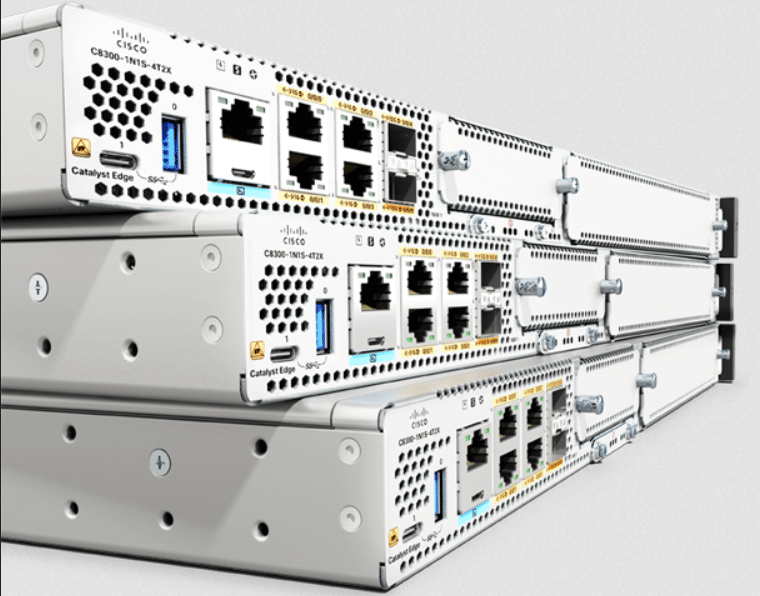
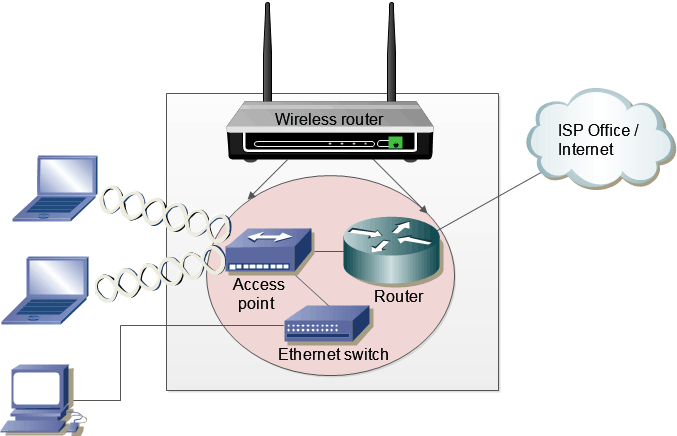
Wireless routers
Wireless routers are generally used in local networks to provide connectivity between end devices. ISPs usually combine the functionalities of edge, distribution, and wireless routers in a single device, called a Wi-Fi router, home gateway router, or default gateway router. You can use it for a small or a home network. However, if your network needs better wireless performance, more connectivity controls, and security, you should use a business router.
Virtual routers
Virtual routers are software implementations of physical routers. These routers replicate physical routers in a simulated or emulated environment. These are suitable for learning, troubleshooting, and meeting specific network requirements.
This tutorial is part of the tutorial series 'Role and function of network components'. The other parts of this tutorial series are as follows.
Chapter 1.1.a Routers in Computer Networks Explained
Chapter 1.1.b Layer 2 and Layer 3 Switches Explained
Chapter 1.1.c Next-generation firewalls and IPS Explained
Chapter 1.1.d Access Points in Computer Networks Explained
Chapter 1.1.e Controllers in Computer Networks Explained
Chapter 1.1.f Endpoints in Computer Networks Explained
Chapter 1.1.g Servers in Computer Networks Explained
Chapter 1.1.h PoE in Computer Networks Explained
This tutorial series covers the following CCNA Exam v1.1 (CCNA 200-301) topics.
1.0 Network Fundamentals
- 1.1 Explain the role and function of network components
-
- 1.1.a Routers
- 1.1.b Layer 2 and Layer 3 switches
- 1.1.c Next-generation firewalls and IPS
- 1.1.d Access points
- 1.1.e Controllers
- 1.1.f Endpoints
- 1.1.g Servers
- 1.1.h PoE
Conclusion
Routers are essential network components. They are responsible for packet switching and filtering, as well as internetwork communication with path-selection capabilities. They maintain security by controlling access to resources on LANs. They also enable redundancy through virtual router configurations in standby groups of multiple physical routers. In this tutorial, I explained the definition, roles, and functions of routers in computer networks.
Author Laxmi Goswami Updated on 2026-07-29