On-premises and Cloud Explained
On-premises and cloud are the terms that define the location, standards, features, and functions of two network types. This tutorial describes the characteristics of both terms and explains their differences.
On-premises v/s off-premises
The term on-premises defines the hardware and software that are installed, owned, and managed by you. If any maintenance, update, or configuration is required, you have to do it. In other words, you are solely responsible for all on-premises equipment and applications. Unlike on-premises, off-premises represents the hardware and software owned, run, and managed by others. In simple words, anything that does not belong to your network is off-premises for you.
There are two types of hardware: bare metal and virtual.
Bare metal is the physical hardware. Your computer or laptop is an example of bare metal. If you want to change the configuration of a bare metal device, you must replace the physical hardware. For example, if you want to upgrade RAM, you have to install new RAM in an available slot or replace the existing RAM if an empty slot is not available.
Virtual hardware is an emulation of physical hardware on the software layer. VMware, VirtualBox, and Hyper-V are some examples of software that provide virtualization. The main advantage of virtualization is that it runs as an application. You can move a virtual PC from one computer to another like you move a data file between computers.
Virtualization technology enables cloud computing. A cloud creates a large pool of extensive hardware resources and runs it as a single system. This pool is called the cloud. It allows you to run services that require a large number of resources without worrying about underlying hardware.
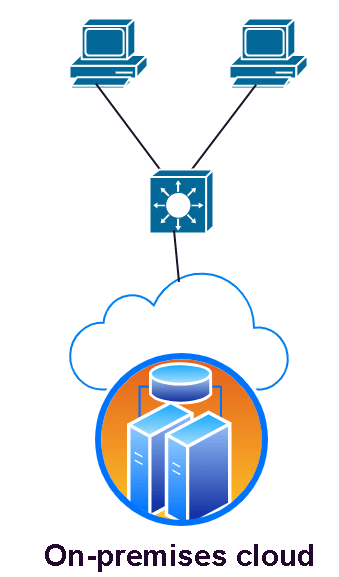
Based on how a cloud service is deployed and used, it can be classified into two types: on-premises and off-premises. On-premises cloud services are services available only to internal users. Only users within the company can access these services. Off-premises services are available for both internal and external users.
Many companies (such as Amazon Web Services, Microsoft Cloud, Google Cloud, etc.) provide public cloud facilities. You can deploy your off-premises services on these clouds. Your billing cost depends on the resources your service uses.
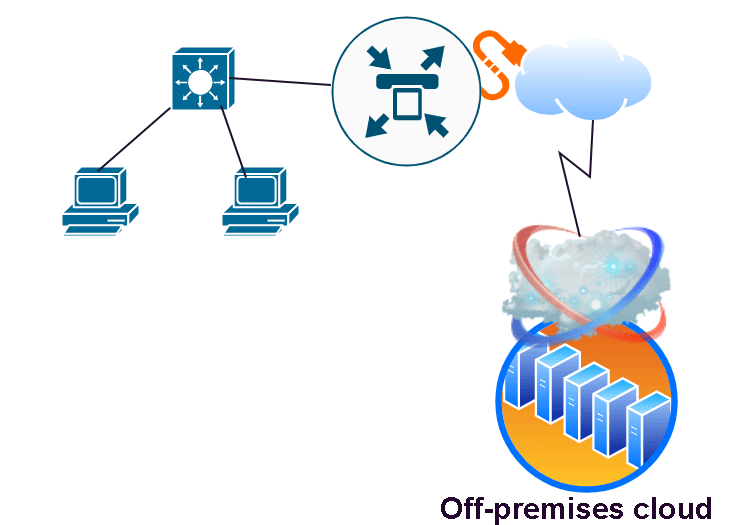
Differences between on-premises and off-premises clouds
The following table compares on-premises and off-premises clouds and lists their differences.
| On-premises cloud | Off-premises cloud |
| You own the hardware resources. If there is any issue, you have to fix it on your own. | You rent the hardware resources. If there is any issue, your service provider fixes it. |
| You need to make a huge upfront investment to purchase the hardware required to set up the cloud. | You do not need to make any upfront investment. You only pay for the resources you use. |
| If you want to scale or upgrade your setup, you have to purchase and install the new hardware. It requires a lot of time. | You can upgrade and downgrade your plan immediately. |
| You are solely responsible for the security of the infrastructure and services running on the cloud. | Your provider is responsible for the security of the infrastructure. You are responsible only for the security of your services running on that infrastructure. |
| You have to spend a lot of time managing hardware, patching operating systems and running applications, and handling system failures and outages. | Managing and maintaining hardware resources is the responsibility of your provider. You do not need to spend any time on this. |
| Since you own the infrastructure, you do not need to pay any monthly or annual fee to anyone. | Since you rent the infrastructure, you have to pay rent under the agreement. |
| Since you own the infrastructure, you need a team of IT professionals who can manage and maintain it. | You can focus on running and managing your services. |
| All hardware resources are exclusively available for your services. You do not share hardware with anyone. | Only the resources you pay for are available for your services. You share hardware with other customers. |
| It is expensive and complex. | It is cheap and simple. |
| It provides full control over hardware. | It provides very little or no control over hardware. |
This tutorial is part of the tutorial series 'Describe characteristics of network topology architectures'. The other parts of this tutorial series are as follows.
Chapter 1.2.a & b 2 Tier and 3 Tier Architecture in Networking
Chapter 1.2.c Spine-Leaf Architecture in Computer Networking
Chapter 1.2.d Wide Area Network (WAN) Explained
Chapter 1.2.e Small Office / Home Office Architectures Explained
Chapter 1.2.f On-premises and Cloud Explained
This tutorial series covers the following CCNA Exam v1.1 (CCNA 200-301) topics.
1.0 Network Fundamentals
- 1.2 Describe characteristics of network topology architectures
-
- 1.2.a Two-tier
- 1.2.b Three-tier
- 1.2.c Spine-leaf
- 1.2.d WAN
- 1.2.e Small office/home office (SOHO)
- 1.2.f On-premises and cloud
Which option should you use?
The option you should use depends on your requirements, budget, and type of data you want to store. If your data is highly confidential and requires regulation, you can choose on-premises cloud. It provides full control over infrastructure and data. If you need flexibility and easy setup, you can choose an off-premises cloud. It provides flexible and scalable resources at a low cost.
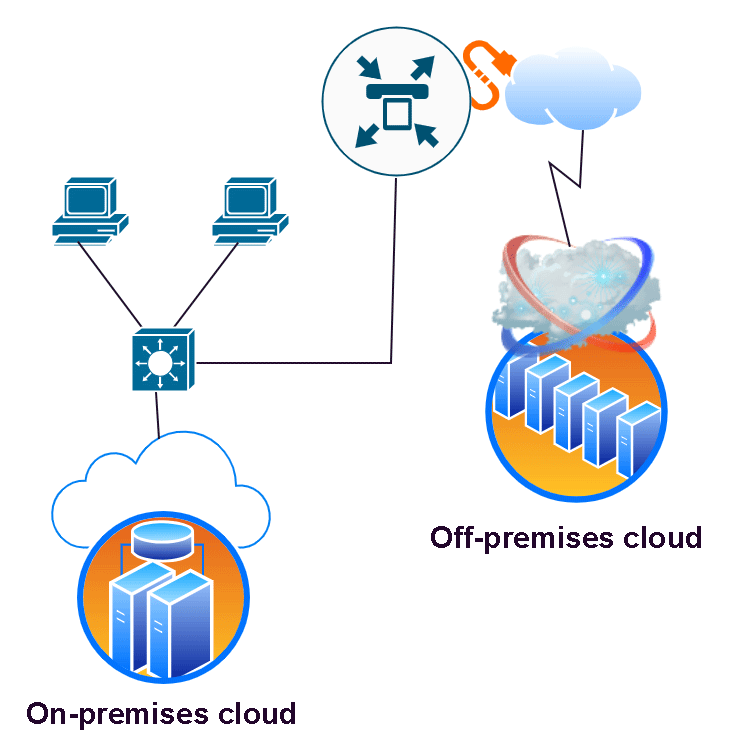
You can combine both options for an optimal output. You can run the sensitive services on your on-premises cloud and move general-purpose services to an off-premises cloud. For example, if you own an e-commerce platform, you can run the application that handles payment on your on-premises and host the catalog and other production-related information on an off-premises cloud.
Conclusion
On-premises and off-premises define the network setup and location. A cloud is a pool of many high-performance servers that act as a single system. On-premises cloud is your personal and internal setup. It gives you full control over the hardware and services you run on it. Off-premises cloud is an external setup. You have no control over it. You can rent a portion of it to run your services.
Author Laxmi Goswami Updated on 2026-08-10