Servers in Computer Networks Explained
A server is dedicated hardware or software that runs specific services, accepts incoming connections from local and remote clients, authenticates each connection individually, and, based on configuration, allows incoming connections to access specific parts of a service. There are many types of servers. Web servers, file servers, database servers, NTP servers, and authenticator servers are examples of servers.
Roles and functions of a server in a computer network
A server works in a client-server model. In this model, a client system accesses a service or data stored on a server system. The server provides the requested resources. For example, you are reading this tutorial on your PC or smartphone. In this case, your PC or smartphone is a client, and the system hosting this site is the server.
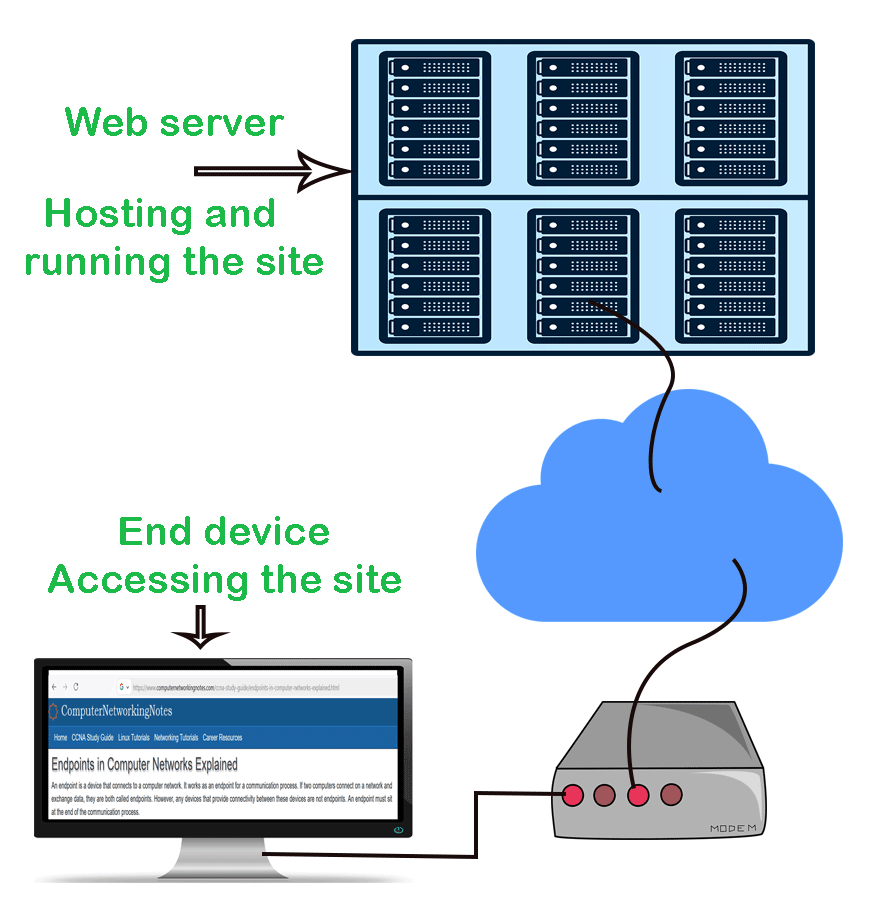
A server continuously listens on configured network ports for incoming connections. It checks each incoming connection against the configured security policies. Based on the defined rules and authentication methods in security policies, it allows or denies the incoming connection.
Types of servers
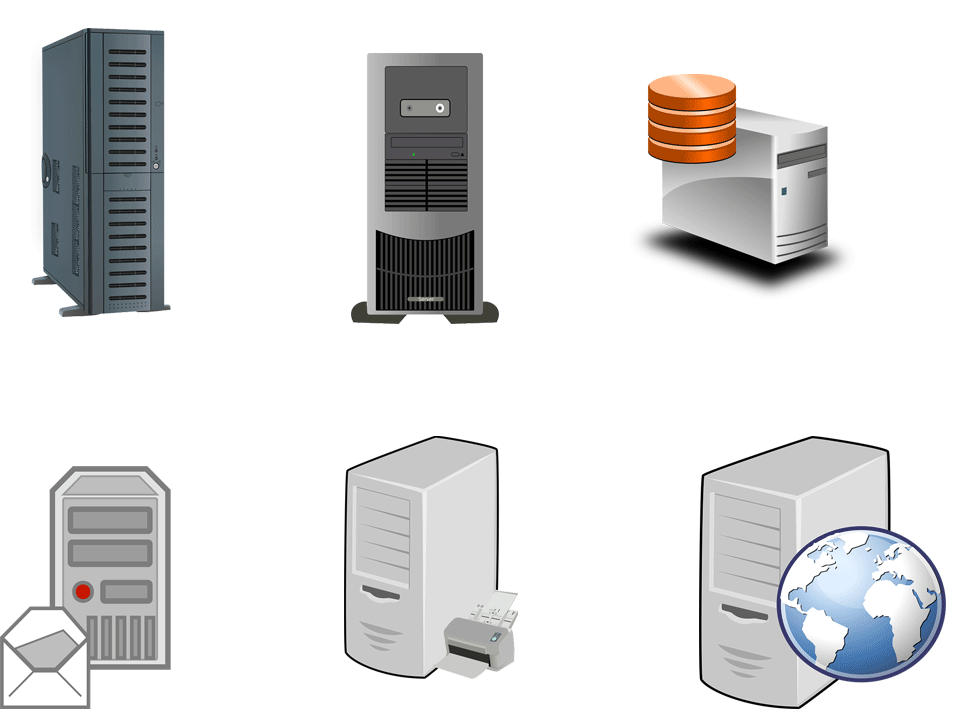
There are many types of servers. The essential types are the following.
Web servers
Web servers are the most deployed and used server type. They host websites. They can be private or public. Private web servers are available only to their respective clients. Only authenticated users can access them. Public web servers are available for everyone. Anyone can access them from anywhere.
File severs
File servers provide a centralized storage solution. They usually have a large storage space. They allow users to save their files in a central location for easier management and distribution. For example, backing up data from a single location is easier and faster than from multiple locations. They are also widely used on the Internet for file sharing services. Administrators or authenticated users upload files to these servers and allow other users to download them as per their plans.
Database servers
Database servers save data in a specific format using an associated programming language. Any application that understands that language can retrieve and update data stored on these database servers after authentication. The system on which you install a database service is called a database server. MySQL, SQL, and MariaDB are examples of database services.
Mail servers
Mail servers run services that allow you to store, send, and receive emails. They can be deployed as standalone or shared servers. A standalone mail server runs only the mail service. A shared mail server runs the mail service alongside other services to keep the configuration simple.
Print servers
Print servers run services that manage print jobs. They accept print jobs from network computers and clients, prioritize and schedule them according to configured policies, send them to the corresponding physical printers, and monitor print tasks on those printers.
DNS servers
DNS servers translate IP addresses into Fully Qualified Domain Names (FQDN) and vice versa. Computers use IP addresses for addressing and identification. Humans use names for the same. DNS servers map both and translate them on request.
NTP servers
NTP servers keep and manage accurate time. They allow you to manage and preserve the same accurate time across all network computers and services.
Dedicated servers
Dedicated servers run specific services. They run only one or a few services and make all their resources available to them. They provide the lowest latency and the highest performance.
Distributed serves
Distributed servers create a pool of servers and run the same services across all servers for redundancy and load balancing.
Difference between end devices and servers
The following table compares end devices and servers and lists their differences.
| End devices | Servers |
| They are optimized to perform regular tasks. | They are optimized to perform specific tasks. |
| They have optimal hardware resources. | They have extensive hardware resources. |
| They run many applications and services. | They run a few applications and services. |
| They are cheap. | They are expensive. |
| They are easy to use and manage. | They are complex to use and manage. |
| They do not require prior knowledge to use. | They require knowledge of services running on them. |
Key points:-
The main characteristics of servers are as follows.
Availability
Servers provide the highest level of availability. They have minimal downtime. Usually, they are configured to remain always up.
Scalability
Servers have extensive hardware to scale services. They allow services to grow their databases til the defined limits.
Stability
Servers provide stability. They have ample CPU and RAM to handle a large number of connections simultaneously.
Flexibility
Servers are flexible. You can change their hardware without any downtime. They support hot-plug replacement.
Security
Servers have an inbuilt mechanism to secure their resources. They have modules to install security plugins.
This tutorial is part of the tutorial series 'Role and function of network components'. The other parts of this tutorial series are as follows.
Chapter 1.1.a Routers in Computer Networks Explained
Chapter 1.1.b Layer 2 and Layer 3 Switches Explained
Chapter 1.1.c Next-generation firewalls and IPS Explained
Chapter 1.1.d Access Points in Computer Networks Explained
Chapter 1.1.e Controllers in Computer Networks Explained
Chapter 1.1.f Endpoints in Computer Networks Explained
Chapter 1.1.g Servers in Computer Networks Explained
Chapter 1.1.h PoE in Computer Networks Explained
This tutorial series covers the following CCNA Exam v1.1 (CCNA 200-301) topics.
1.0 Network Fundamentals
- 1.1 Explain the role and function of network components
-
- 1.1.a Routers
- 1.1.b Layer 2 and Layer 3 switches
- 1.1.c Next-generation firewalls and IPS
- 1.1.d Access points
- 1.1.e Controllers
- 1.1.f Endpoints
- 1.1.g Servers
- 1.1.h PoE
Conclusion
Servers are critical network resources. They run specific services, accept incoming connections, authenticate them, and allow them to access the service's defined functions. In this tutorial, I explained their types, roles, and functions in computer networks.
Author Laxmi Goswami Updated on 2026-07-29