Removing the logout and switch user features
Linux is a multiuser operating system. It allows multiple users to use the same system. It allows users to share computers. Users can log in and log out as required. For example, suppose you have three family members who use computers. Instead of purchasing three computers, you can buy a computer and create three user accounts. Similarly, if you have users who work in different time slots in a production environment, you can create user accounts on each computer. Each user will use the system during their time slot. Users will log in when their time slot starts and log out when it ends. In normal circumstances, this feature provides flexibility and reduces the network cost. However, in some situations, it can cause security risks. For example, users may share their login credentials. If that happens, a user may log in to another user’s account and access that user's confidential files. To mitigate this security risk, you can disable the logout and user switch features for users. After that, a user will not be able to log out or switch to another user account. This tutorial explains how to disable the logout and switch account features in RHEL Linux to prevent users from switching accounts or logging out.
Prerequisites:-
- A RHEL system with the GNOME desktop environment
- A superuser or the root account access
Configuration steps
During a running session, when a user clicks the power button in the top-right corner of the desktop screen, it displays the logout and switch user options. The logout option allows the user to end the current session. The switch user option allows him to switch to another user account.
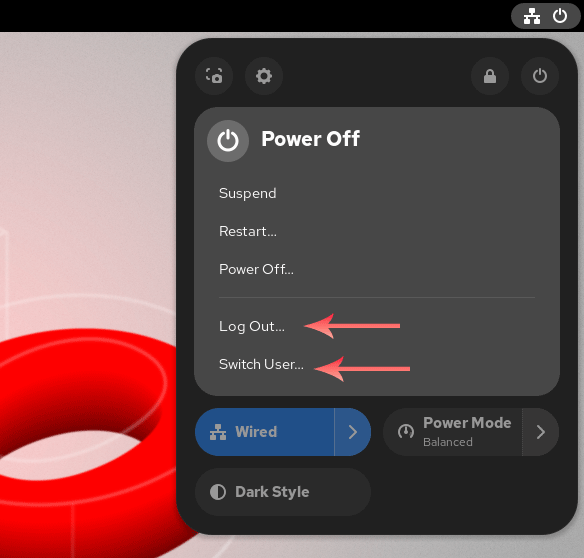
To disable either option or both, log in as the root user and open a terminal. The /etc/dconf/db/local.d/00-logout file removes and disables these options. By default, this file is not present. Create this file, add the following lines, and save the file.
#ls /etc/dconf/db/local.d/00-logout
#vim /etc/dconf/db/local.d/00-logout

[org/gnome/desktop/lockdown]
disable-log-out=true
disable-user-switching=true

:wq

#
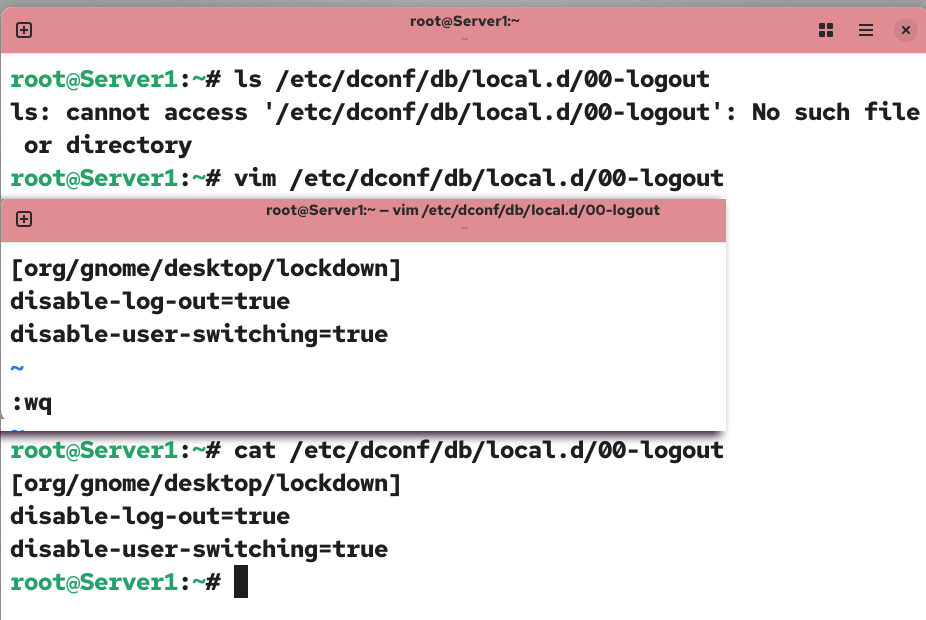
The disable-log-out directive removes the log out option. The disable-user-switching directive removes the switch user option. To remove only the single option, add its directive in this file and set its value to true.
Update the configuration database.
#dconf update
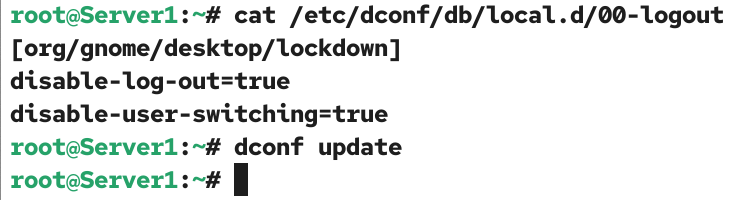
To verify the change, click the power button and check the available options in the open window.
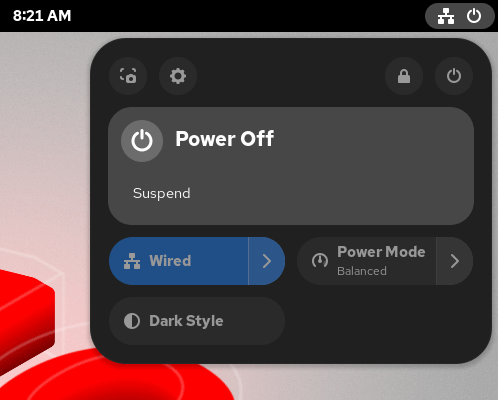
The above configuration also removes the power-off and restart options. If you implement this configuration, once logged in, the user will not be able to power off or restart the system, log out of the current session, or switch user accounts.
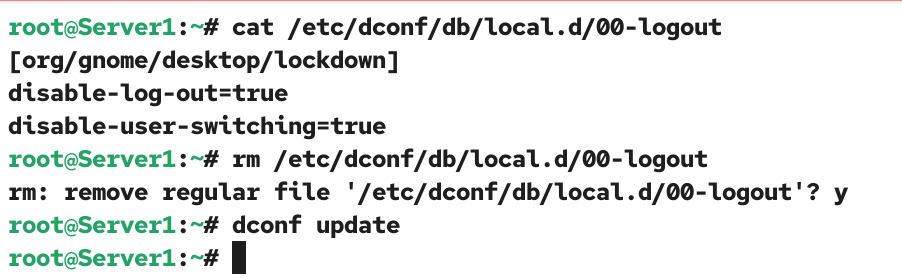
To restore these options, log in as the root user and delete the /etc/dconf/db/local.d/00-logout file.
#rm /etc/dconf/db/local.d/00-logout
Update the configuration database.
#dconf update
To verify that the default options are restored, click the power button and check the available options in the open window.
Conclusion
Removing logout and switch user features enhances security in the production environment. In this tutorial, I explained how to disable, verify, and re-enable both features.
Author Laxmi Goswami Updated on 2026-07-08