PVST/RPVST and EtherChannel Explained
You can connect switches via multiple links to reduce the risk of network failure when the primary link fails. However, connecting switches with more than one link creates switching loops. A network never works with a switching loop.
Cisco switches use a default protocol called PVST (Per VLAN Spanning Tree) / RPVST (Rapid Per VLAN Spanning Tree) to remove loops. It dynamically manages all links. If a switch has many paths to reach a destination, it chooses only one path and blocks all remaining paths to remove loops. If the selected path fails, it automatically enables the backup path.
However, there are two situations where you need a better option. These situations are the following.
- You want to configure multiple links between switches for load balancing.
- You want to speed up the PVST/RPVST convergency.
Load balancing
Load balancing optimizes network performance and increases data transfer speed. It equally distributes the load among all participants. Let's take an example. Suppose you have one connection between two switches. All data transfers will happen on this connection. However, if you have two connections, each connection will transfer only half of the total data. Since each connection transfers less data, it works faster. Besides speeding up data transfer, load balancing also provides many other advantages. However, load balancing and PVST/RPVST are opposites. Load balancing needs more than one link to work, while PVST/RPVST keeps only one link to remove loops.
EtherChannel solves this problem. It combines multiple links into a single link. Since all links work as a single, PVST/RPVST does not block them. On the other hand, load balancing can use all links in the group to distribute the network traffic.

PVST/RPVST convergency
PVST/RPVST starts all ports through various states. During these states, ports can not forward user frames. It causes network delay. For example, if a switch is running PVST, it cannot forward any traffic till the PVST reaches convergency. PVST needs fifty seconds to complete its operations and reach convergency. The switch cannot forward user frames during these seconds. PVST repeats this process whenever the network topology changes.
For example, when a link connected to the port fails, PVST needs fifty seconds to select another port. A 50-second delay for every network change severely affects network performance. EtherChannel solves this problem. Since all links in an EtherChannel operate as a single link, PVST does not re-run its algorithm as long as a single link in the EtherChannel is functional.
EtherChannel configuration (Packet Tracer Example)
Create a Packet Tracer lab as shown in the following image.
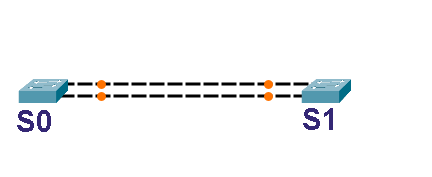
Download the Packet Tracer lab for EtherChannel configuration.
This network has two switches. Both switches have two connections. These connections simulate load balancing. However, load balancing does not work until PVST is running. PVST treats these links as a loop and blocks one link to break it.

The show spanning-tree command displays all the running PVST instances on the switch. The output of this command displays the PVST status of all active ports. The following image shows the output of this command on both switches.

As shown above, PVST has blocked G0/2 on S1 to remove the loop. It verifies the first situation. Remove one link and observe the time switches take to use the second link.

Switches do not enable the backup link until PVST finishes its operation. It verifies the second situation. Connect the removed link again and configure EtherChannel on both switches.

Download the packet tracer lab with EtherChannel configuration.
After EtherChannel configuration, switches treat both links as a single link.

Run the show spanning-tree command on both switches again to verify all links appear as a single link to PVST/RPVST.

Since PVST/RPVST treats all links in an EtherChannel as a single link, it does not update its database when a link in the EtherChannel goes down.

It will update the ports' status only when all links in the EtherChannel go down.
This tutorial is part of the tutorial series "STP, RSTP, PVST, RPVST, and MSTP Explained with Examples". Other parts of this series are the following.
Chapter 01 Introduction and overview of STP and RSTP
Chapter 02 STP, RSTP, PVST, RPVST, and MSTP
Chapter 03 Similarities and Differences between STP and RSTP
Chapter 04 STP and RSTP Terminology
Chapter 05 STP/RSTP Timers Explained
Chapter 06 The Bridge ID and System ID Extension Explained
Chapter 07 PVST/STP Root Bridge Election Process Explained
Chapter 08 STP Port and Path Costs Explained
Chapter 09 STP Port States:- Blocking, Listing, Learning, and Forwarding
Chapter 10 STP - Spanning Tree Protocol Explained With Examples
Chapter 11 RSTP Port States and Types Explained
Chapter 12 PVST/RPVST and EtherChannel Explained
Chapter 13 RSTP / RPVST Explained with Examples
Conclusion
EtherChannel solves two main problems of PVST/RPVST. It allows you to create multiple connections for load balancing and redundancy. It also reduces the PVST/RPVST convergence time. PVST and RPVST are Cisco's STP variations. Cisco builds them on STP/RSTP. EtherChannel and PortFast features are available only on PVST and RPVST. They are not available on STP/RSTP. You can use these features only on Cisco switches.
Author Laxmi Goswami Updated on 2026-05-12