Starting an application in RHEL Linux
Starting an application on RHEL Linux is straightforward. Linux offers three options for this straightforward process. These options are Dash (Start button), Terminal, and Run box. This tutorial explains these options in detail.
Prerequisites:-
A RHEL system with the GNOME desktop environment
Starting an application from the Activities overview screen
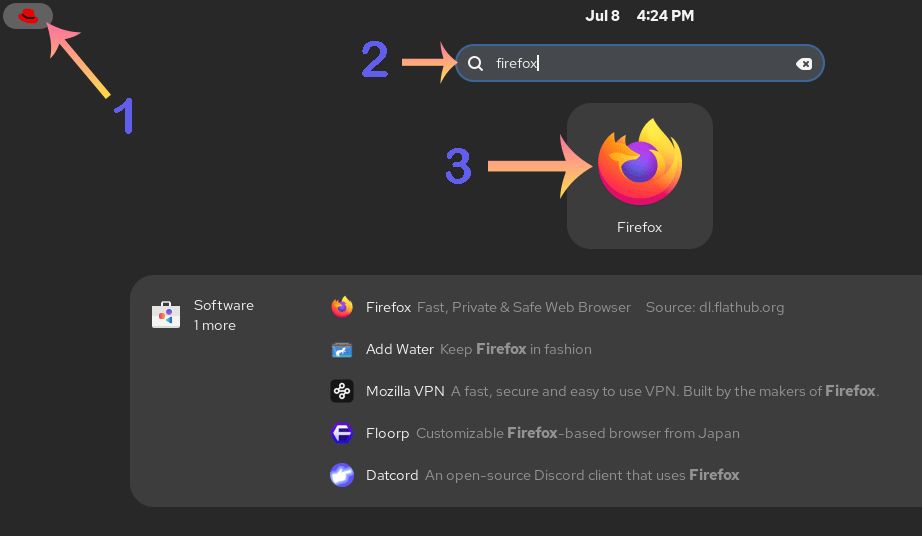
Click the Red Hat logo (Dash/ Start button) in the top-left corner. It opens the Activities overview screen. The Activities overview screen contains a search box at the top. Type the name of the application you want to start in this box and press Enter. The screen will display all applications that start with the specified name. Select and click the application’s icon that you want to start.
Starting an application from the terminal
To start an application from the terminal, you need its application command. When you install an application or software package, it installs its application command. The application command allows you to run the application from the terminal. For example, to run Firefox from the terminal, run the following command.
#firefox
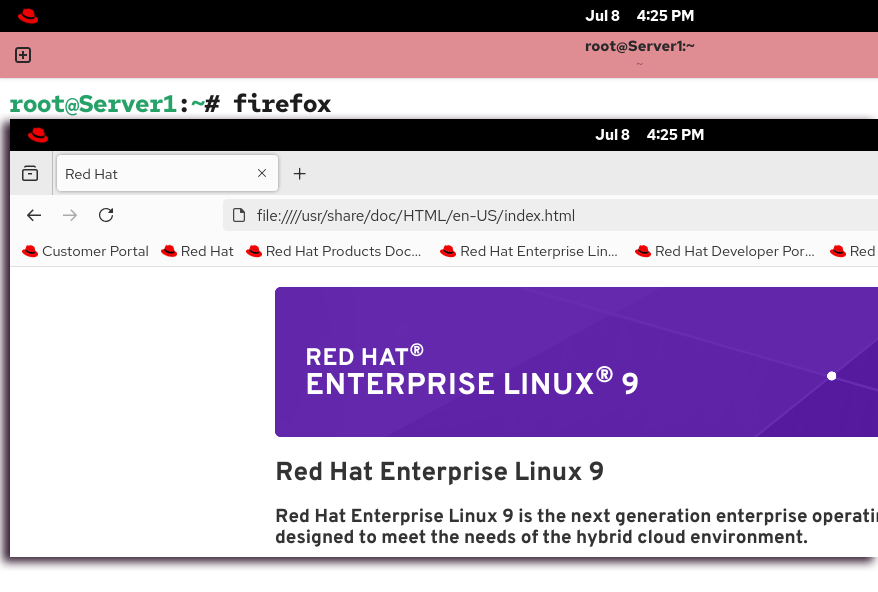
Running an application command requires privilege. Usually, you can run most general-purpose application commands, such as a web browser, an FTP client, and a text editor, under any regular user account. However, some application commands cannot be run under a regular user account. They require special service accounts or superuser accounts to run.
Starting an application from the 'Run a command' box
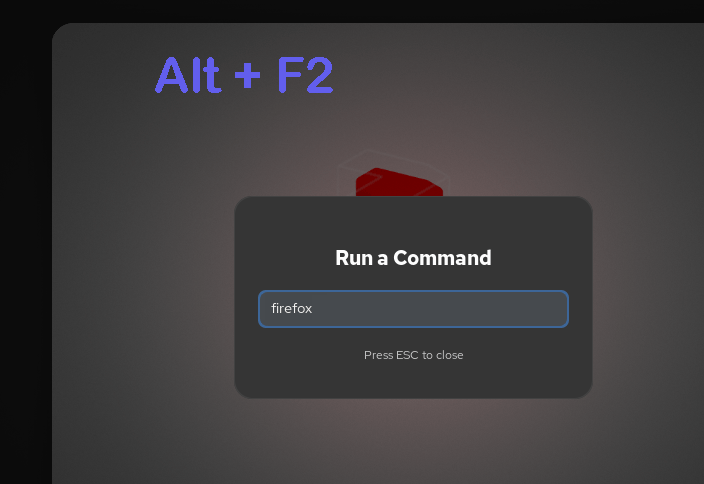
The 'Run a command' box allows you to run a single command or script without opening a terminal. To open it, press Alt + F2. It opens the 'Run a command' box. Type the application command in it, and press Enter.
Conclusion
In this tutorial, I explained three ways to launch an application on RHEL: using the Activities screen, from the terminal, and from the Run a command box. You can use any of these to start your application.
Author Laxmi Goswami Updated on 2026-07-08