Linux I/O Streams (Input/Output) Explained
Each Linux command is powerful on its own. However, the true power of the Linux command line comes from chaining these commands together to build what is called command pipelines. Each Linux command is designed to do one thing and do it incredibly well. However, sometimes you want to do a complex task that requires many things at once. In that case, you can combine the necessary commands into a pipeline and run them as a single command. To chain commands together and create powerful workflows, you need to understand how Linux commands take input and produce output.
Each command has its own computer program. A computer program is simply an automated way to take input, process it, and produce output. A standard Linux command can take input from two places and give output to two others. In other words, a conventional Linux command has four ways to get data in and out. Inputs are command arguments and standard input, and the outputs are standard output and standard error.

Standard input, standard output, and standard error are standard data streams. Command arguments are not part of a standard data stream.
Standard output
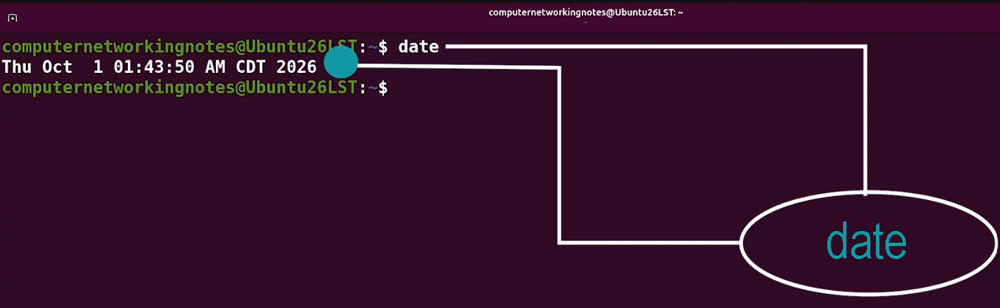
When a command runs successfully, it outputs data primarily through a channel called standard output. By default, standard output goes to the terminal. This is why, when you type commands, the output appears on the screen. For example, let's take the date command. If you type date and press Enter, the shell executes the date command and sends the output to the standard output stream, which is by default connected to the terminal screen. Therefore, you see the date appear below your command.
If you want to send this output somewhere else instead of displaying it on the terminal, you can use a shell feature called redirection. Redirecting a data stream changes where the data goes. For example, to send the output of the date command to a file, add a greater-than sign after this command and specify the file name. Now, if you press Enter, the shell sends the output of the date command to this file instead of displaying it to the terminal.
$date > datefile
Standard error
When a command gives an error message, a log message, or anything that isn't the primary output, it goes into the stream known as standard error. This keeps useful output separate from log or error information. For example, let's take the date command again. If you make a mistake or use invalid options and arguments, it fails by giving an error. Because it's an error message, the shell sends it down the standard error stream.
$date dsfedres
date: invalid date 'dsfedres'
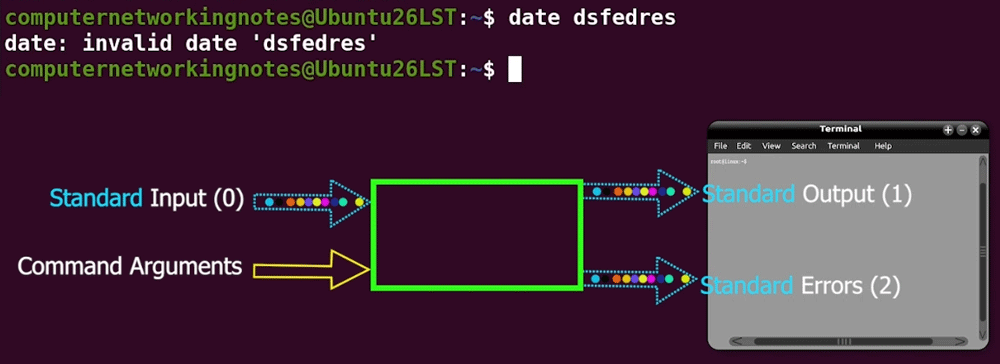
By default, both standard output and error streams are connected to the terminal. So you also see this error in the terminal. However, you can redirect it wherever you want.
Standard input
By default, it is connected to the keyboard. Anything you type on the keyboard reaches the command through this stream. Let’s use the cat command to see this in action. This command reads data from a file and, if the file is not given, from standard input. You can confirm this by looking at the command's manual pages. A command’s manual pages provide detailed information about the command and its arguments. To view the manual pages of a command, type man, then the command name, and then press Enter.
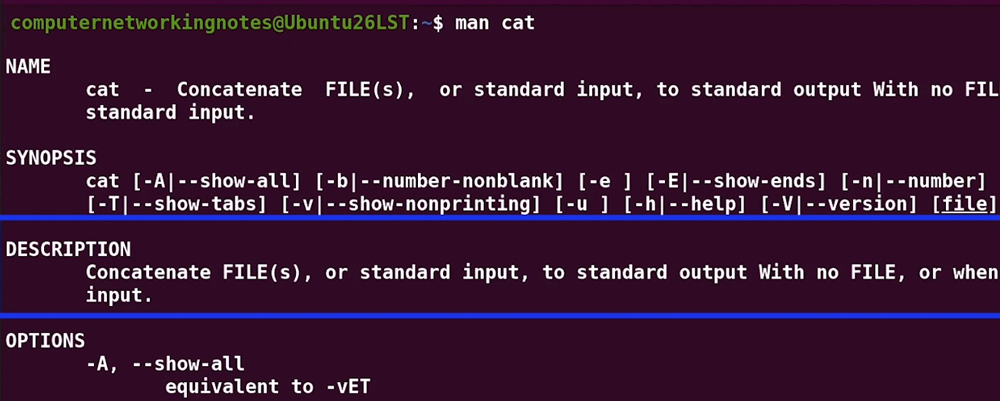
As the above output shows, if you don't give it a file name, it reads from standard input. To exit manual pages, press q.
Example
Type cat and press Enter without specifying a file name.
$cat
The command waits for input from the standard input stream. At this point, because you are in cat's waiting mode, you will not see the command prompt.

By default, the standard input stream is connected to the keyboard. Type hello and press Enter.
hello
The command reads it and outputs the results to standard output. Because standard output is attached to the terminal by default, you see the output appear right below it.
hello
hello
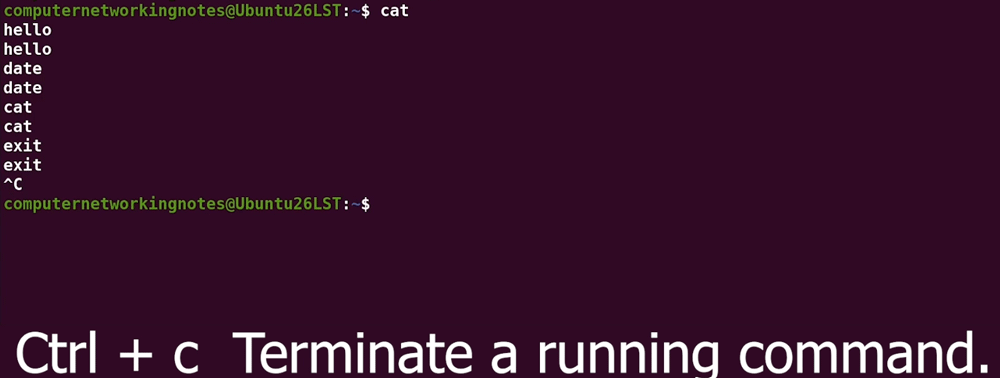
Since you are in the waiting mode for the cat command, anything you type here will be treated as the input argument for the cat command. For example, if you type a command here and press Enter, it goes to the cat command as input, not to the shell as a command. The cat command reads it as text and displays it to the terminal.
hello
hello
date
date
cat
cat
exit
exit

Ctrl+c
To run the next command, exit the cat command. Press Ctrl + C to exit the cat command. This key combination lets you terminate any running command.
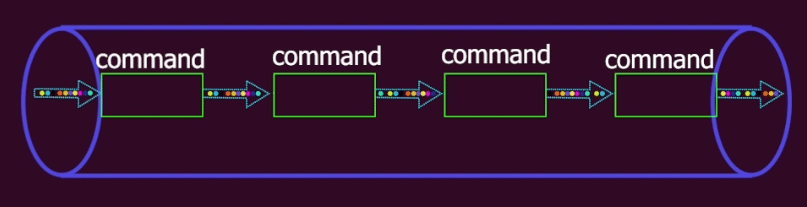
Because standard input is a data stream, you can redirect it too. That means you can tell a command where it should read data from. This could be a file with pre-configured input, or, more powerfully, another data stream. This ability to connect data streams makes them so powerful. You can pass the standard output stream from one command to the standard input stream of another, then pass the standard output stream of that second command to the standard input stream of the third command, and so on and so on until you build up a very powerful pipeline. Connecting outputs to inputs this way is known as piping commands.
Command-line arguments
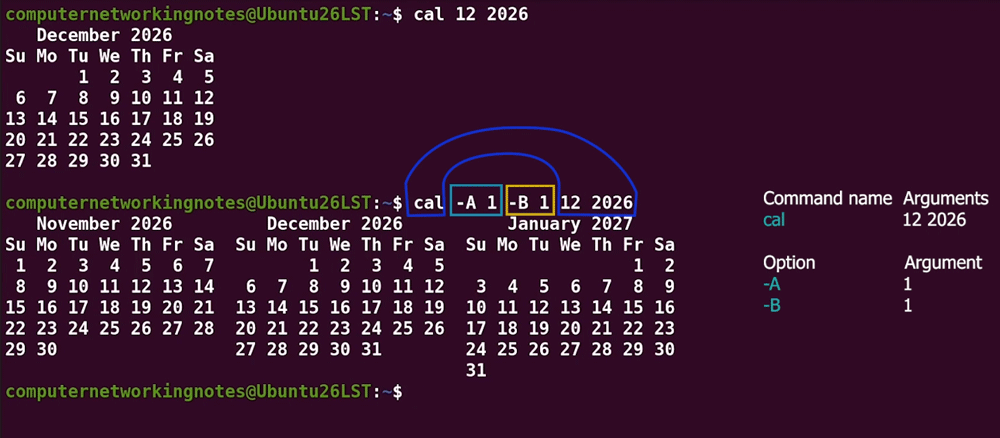
Command-line arguments are the input you specify to a command or its options. For example, the following command shows the calendar for December 2026. In this command, the numbers 12 and 2026 are command-line arguments.
$cal 12 2026
The following command shows the calendar for December 2026, with one month before and one month after.
$cal -A 1 -B 1 12 2026
In this command:-
The A option has the command-line argument 1.
The B option has the command-line argument 1.
The cal command has 12 and 2026 as its own command-line arguments.
There's one argument for the A option, one argument for the B option, and two arguments for the overall cal command.
Differences between command-line arguments and data streams
The difference between command-line arguments and data streams is that data streams can flow. You can redirect and pipe them together. Command-line arguments only apply to the command or option they're dealing with at the moment. In general, data streams can flow and be piped together, but command-line arguments are static.
Summary
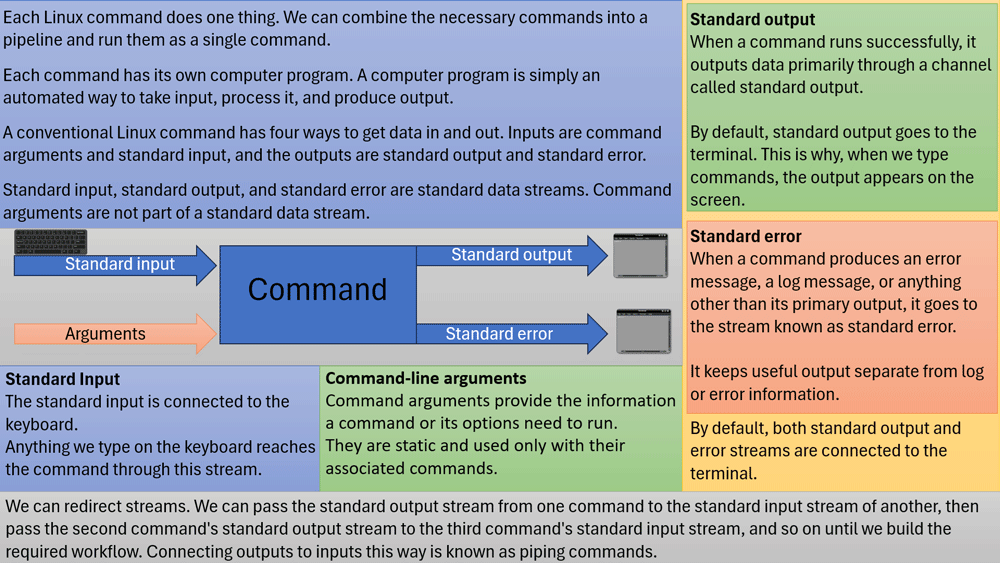
There are two ways to get data into commands and two ways to get data out. The ways in are standard input and command-line arguments, and the ways out are standard output and standard error. The three ways that start with the word standard are standard data streams. Standard output is where a command's output goes, and standard error is where its error and log messages go. By default, standard output and standard error are attached to the terminal, but you can change that. By default, standard input is attached to the keyboard. It is also a data stream. It can take data from other places. You can redirect data streams from their default locations to wherever you want using a process called redirection.
Author Laxmi Goswami Updated on 2026-10-05