Ubuntu Flavors, Variants, and Types Explained
Ubuntu is available in many flavors and variants. Each flavor and variant has different key features and targeted audiences. This tutorial explains the key features and target audiences of each Ubuntu type. Understanding them helps you choose the Ubuntu flavor or variant that best suits your environment and requirements.
What are Ubuntu variants and flavors?
Ubuntu is an open-source project. It is funded and managed by Canonical, a London-based software company. Its kernel (the core program that controls system hardware according to the operating system) and base modules (that build the operating system) are free and available to all. It enables other software developer communities and companies to redesign, modify, and customize Ubuntu for their specific needs. These customized versions are called variants and flavors. The main difference between variants and flavors is that variants are customized by the same company and community that designs and develops Ubuntu, whereas flavors are customized by third parties.
Ubuntu variants
Ubuntu is available in five variants:-
- Desktop
- Server
- WSL
- Core
- Cloud
Desktop
Desktop is the main variant and base of all official Ubuntu flavors. Its target audience is general desktop users. It focuses on stability and security and leaves customization to users. Apart from essential software, it does not ship with any specific applications. Users need to install the required applications themselves. They also need to customize the user interface and GUI to meet their requirements. This is where official Ubuntu flavors fit. They do this customization for users. They also select applications and automatically install them during installation.
Server
Server is the second most widely used Ubuntu variant. Its target audience is companies, organizations, and offices. It focuses on performance while maintaining security and stability. It provides only a CLI interface for management and configuration. It includes applications that require running various servers and network services, such as a Web server, an FTP server, a Mail server, and an NFS server.
WSL
Windows Subsystem for Linux (WSL) is a simplified version of Ubuntu for Windows users who want to learn or experience Ubuntu. It allows them to run a fully-featured Ubuntu on Windows. It is ideal for coders and developers who build Linux software and applications on Windows. It allows them to test their code or programs without leaving Windows.
Core
This variant provides a minimal version of Ubuntu. It includes only the kernel and core OS modules. It provides a base for developers who want to build custom Ubuntu for their companies and communities. It does not include any applications or general-purpose software.
Cloud
This is a customized Server variant for cloud services. Unlike the Server variant, which is optimized for physical systems, this variant is optimized for cloud environments. It focuses on providing the optimal tools and features for running cloud-based services. It uses an optimized kernel that boots faster and has a smaller resource footprint.
Official Ubuntu flavors
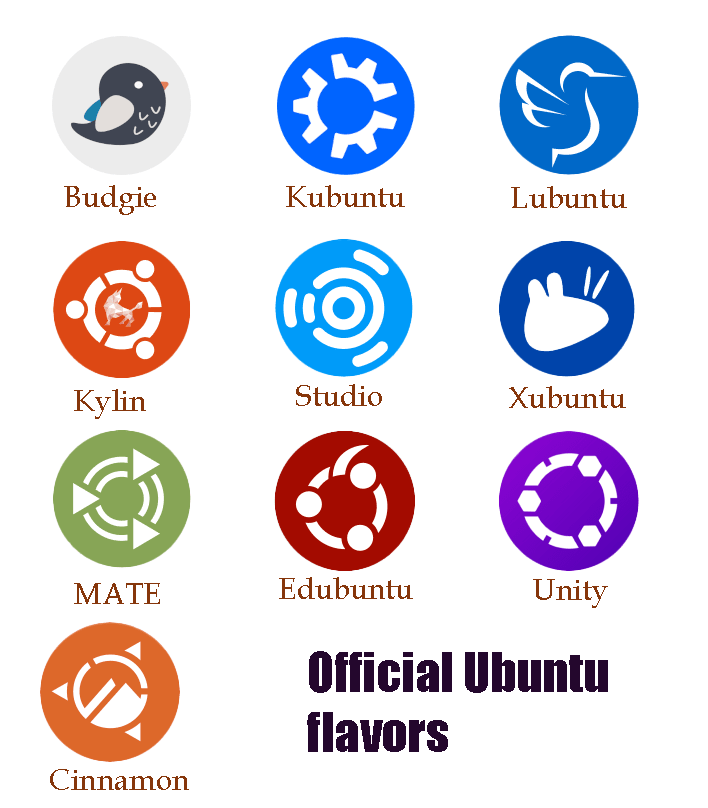
Official Ubuntu flavors are pre-customized Desktop variants of Ubuntu. They are backed and supported by the same team and community that develop and maintain Ubuntu. They use the same kernel and core application packages as Ubuntu. They also provide features and functions similar to Ubuntu. The main differences between Ubuntu and them are the software selection and the GUI. Ubuntu is customized for general purposes. Apart from essential software, it does not include applications for any specific environment or task. Official flavors serve this purpose. They customize Ubuntu for a particular environment or specific requirements. Currently, there are 10 official Ubuntu flavors: Edubuntu, Kubuntu, Lubuntu, Budgie, Cinnamon, Kylin, MATE, Studio, Unity, and Xubuntu.
Edubuntu
This flavor is customized for schools and educational environments. It requires modest hardware. You can use it on any basic computer. It includes applications mostly used by teachers and students (such as Arduino IDE, LibreOffice, GCompris, Celestia, and Stellarium) for preparing notes, documentation, and projects. It contains tools to adjust user profiles, restrict desktop settings, and globally hide or show applications based on the student's grade level. These tools help teachers control and manage students’ systems from a centralized location.
It organizes and aligns software by school types such as preschool, primary, secondary, and tertiary. This categorization helps you select the application package based on your class and school. For example, if you are a student, you can select the application package based on your class. Or if you run a school, you can deploy the variation based on your school type.
Kubuntu
This flavor uses KDE and the Plasma desktop. It includes applications commonly used in production environments, such as office, email, graphics, photography, and music. It uses the KDE Plasma desktop. It is the second most popular flavor of Ubuntu. On it, application names usually start with the letter K. It provides a desktop environment that looks like the Windows desktop. It uses a start button and a taskbar similar to Windows. Like Windows, it aligns the taskbar at the bottom and places the start button in the left corner.
Lubuntu
This flavor is optimized to use less memory. It includes only essential applications required to browse the Internet, chat, and make notes. It uses the LXDE desktop. Like Kubuntu, application names on it start with the letter L. A lot of customization is done on this flavor to reduce system resource use, especially RAM and CPU. For example, it uses PCManFM as the file manager, SDDM as the login manager, and Leafpad as the text editor. Similarly, it replaced several other heavy applications with lightweight ones. If you need a lightweight flavor optimized for fast performance, use this. It is also a recommended flavor for a system with less memory and CPU.
Budgie
This flavor uses the Budgie desktop environment. Budgie is a simple, clean, elegant, and modern desktop environment. It uses a balanced approach between lightweight and appearance. It is fresh and sophisticated. It consumes fewer system resources.
Cinnamon
This flavor uses the Cinnamon desktop. The Cinnamon desktop uses GNOME 2 as the baseline. It provides a traditionally modern experience. It includes a simple, customizable desktop built with many personalization options and features for extra spice.
Kylin
It is the Chinese version of Ubuntu. The difference between this flavor and the default flavor is that it is localized in Chinese for the Chinese market. It is also available under the GPL license. This means you can install and use it even if you are not Chinese. Unless you know Chinese, use the default Ubuntu. In terms of hardware and software support, both are the same. The only difference between them is the localization.
MATE
This flavor uses the classic GNOME 2 desktop by default. You can use it for its clean desktop layout and fast performance. It is optimized to run on less hardware. You can use it on any older computer. It makes new computers fast and old computers usable. It is ideal for those who want the most out of their computers and prefer a traditional desktop metaphor.
Studio
This flavor is specially customized for media professionals. It is a perfect option for a media professional seeking a free, open-source platform for multimedia work. This flavor includes several applications specially designed for audio and video editing. For example, it includes a2jmidid (ALSA sequencer), Ardour (hard disk recorder) Audacious (a lightweight audio player), Audacity (a digital audio editor), BEAST (music composter), Creox (real-time guitar effects generator), Hydrogen (drum effect generator), MusE (a MIDI/Audio sequencer), TiMidity (MIDI format convertor), Xwax (video emulator) Yoshimi (audio mixer) and so on.
Unity
This flavor uses Unity desktop. It is an attractive, smooth, and lightweight version of Ubuntu. It has a beautiful design, an efficient workflow, and meaningful features such as a heads-up display (HUD), a Global Menu, powerful search, and high customizability via the Unity Tweak Tool. You can choose from various window animations and effects available in Compiz.
Xubuntu
It is also a lightweight flavor. Xubuntu is just above Lubuntu in terms of lightweightness. This flavor uses XFCE as the default desktop. XFCE is a clean and uncluttered desktop optimized for performance and usability. Unlike Lubuntu, it is customized for both lightweight performance and features. If you have to choose between Xubuntu and Lubuntu, select Xubuntu. Xubuntu offers almost all the features that Lubuntu provides. Xubuntu is older and more stable than Lubuntu.
Unofficial Ubuntu flavors
Unofficial Ubuntu flavors are maintained and updated by third parties. Unlike official flavors, they are not subject to any guidelines or standards set by Ubuntu. Their developers are free to design, update, manage, and distribute them as they prefer. They can choose any software packaging method, use a different release and update cycle, and offer different support options. Canonical has a direct and indirect association with them. Pop!_OS and Mint are two of the most popular unofficial flavors.

Pop!_OS
It is maintained and distributed by System76 (a computer manufacturer). It uses the COSMIC desktop environment (a Rust-based and Wayland-only desktop). It is designed and optimized for coders, scientists, and gamers. It supports AMD and NVIDIA graphics cards out of the box. It includes a super-key launcher for finding files, opening apps, and doing math.
Mint
It is popular for its super easy interface. It is available in three editions: Cinnamon, MATE, Xfce. Each edition uses its dedicated Desktop. For example, the Cinnamon edition uses the Cinnamon Desktop, and the MATE edition uses the MATE Desktop. The main reason behind its popularity is that it deliberately disables Canonical’s Snap store by default. Instead of Snaps, it uses traditional APT packages and Flatpaks.
Differences between official and unofficial flavors
The following table highlights the differences between official and unofficial flavors.
| Official flavors | Unofficial flavors |
| They use the same software packaging method as Ubuntu. | They may use the same or a completely different software packaging method. |
| The official Ubuntu community provides support for them. | The official Ubuntu community does not provide support for them. |
| They follow Ubuntu’s update cycle and release as soon as they are available. | They use their own update cycles. |
| They follow the guidelines and standards set by Ubuntu. | They use their own standards. |
| Ubuntu backs them and ensures their stability and security. | Their stability and security depend on their community. |
Conclusion
Ubuntu is the most popular and widely used open-source Linux distribution. It is available in many variations and flavors. In this tutorial, I explained those variations and flavors and their key features. Learning them helps you select the most suitable variations and flavors for your system and network.
Author Laxmi Goswami Updated on 2026-08-21